Roles
Roles define what a user can do within the Codex Catalog. They control access to features, management options, and permissions at both the application level and list level.
Application roles
These roles apply to the overall application.
- Codex Catalog User: Standard role with basic access to lists and data that have been shared with this user or the group(s) this user is a member of.
- Codex Catalog Manager: Extended permissions beyond a regular User. A Manager can create and manage list structures (List Manager) and List Groups.
- Codex Catalog Admin: Full control of the application, including managing users, groups, settings, and system configuration
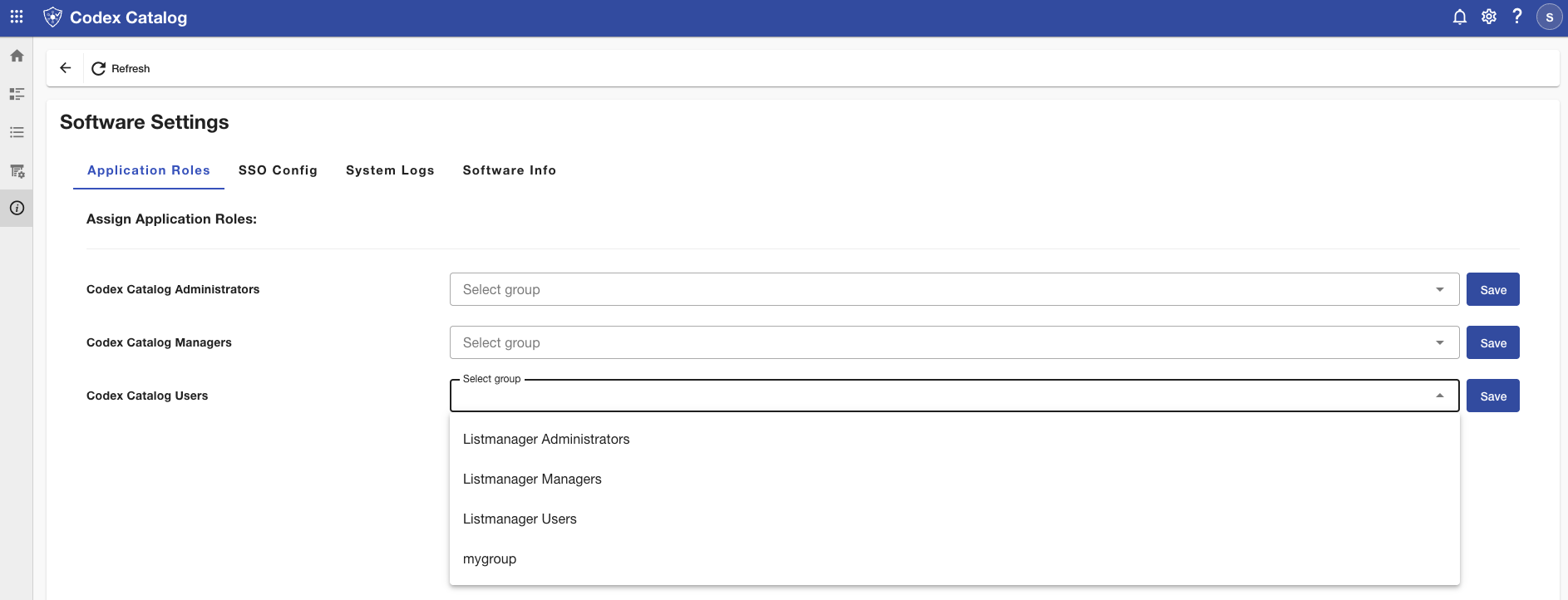
You can see and assign these roles in Settings.
List roles
These roles apply specifically to the management of individual lists:
- Owner: The user that created the list. This is automatically assigned.
- Viewer: Can only see the contents of a list but cannot make any changes.
- Editor: Can view and edit the contents of a list (within the Data Manager), but cannot change the list structure (List Manager).
- Manager: Full control of a list, including editing contents, updating field definitions, and granting permissions to other users