Software Information
Read-only overview of the current software state. It summarizes the versions of each component and key runtime flags so operators can verify a deployment at a glance.
You can find this view by clicking on the last icon of the Sidebar.
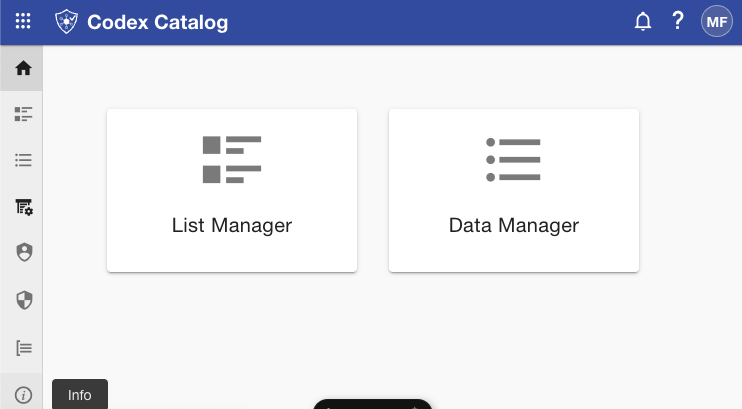
What you see on this page
| Field | What it means | Typical source | When it changes |
|---|---|---|---|
| Frontend Version | Version of the UI bundle that’s currently deployed. | Frontend build metadata (e.g., CI/CD commit/tag). | On the next frontend release/deploy. |
| Backend Version | Version of the API/service running behind the UI. | Backend build metadata (e.g., CI/CD commit/tag). | On the next backend release/deploy. |
| Database Version | Schema/migrations version the application expects/is running on. | Migration framework (e.g., migration number or tag). | When a new migration is applied. |
| SSO Enabled | Whether Single Sign-On is currently active for the application. | Security/auth configuration. | When toggled/configured in SSO Config. |
| System Logs Enabledn | Whether system/application logs collection is enabled. | Logging configuration. | When toggled/configured in System Logs. |
| Maintenance Mode | Whether the application is in maintenance (restricted) mode. | Runtime/feature flag. | When toggled in Maintenance Mode. |
These values are display-only here. Configuration changes are made from their dedicated tabs (e.g., SSO Config, System Logs, Maintenance Mode) or via your deployment pipeline.
Actions & permissions
- Refresh — Re-loads the latest values from the server.
- No “New” — There is no create action on this page.
- Read-only — The Software Info tab itself has no edit controls.
- Visibility — If you have access to Software Settings, you can view this tab. Edit rights live on the specific settings tabs or require owner/admin privileges, depending on your deployment.
Troubleshooting
-
A version looks stale after a deploy
Click Refresh. If it’s still stale, verify that the deployment finished and that the service reports the new version (CI/CD artifact, environment variable, or health endpoint).
-
Database Version doesn’t match the code release
Ensure all migrations ran successfully. The application might be on a newer build while the database didn’t migrate (or vice versa).
-
Flags show unexpected values (SSO/Logs/Maintenance)
Check the corresponding settings tab or your config management. You may need the appropriate role/ownership to change them.