Delete a User
Who can delete a user?
- Only a Codex Catalog Admin can delete users.
- The Delete button is shown only when you select a certain user. If the button doesn’t appear, you don’t have administration rights.
How to delete a user
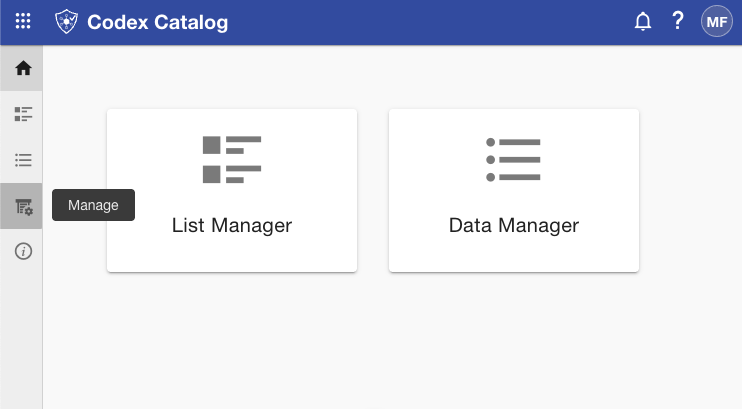
First, access the user management menu by going to the sidebar and selecting "Manage" (fourth icon).
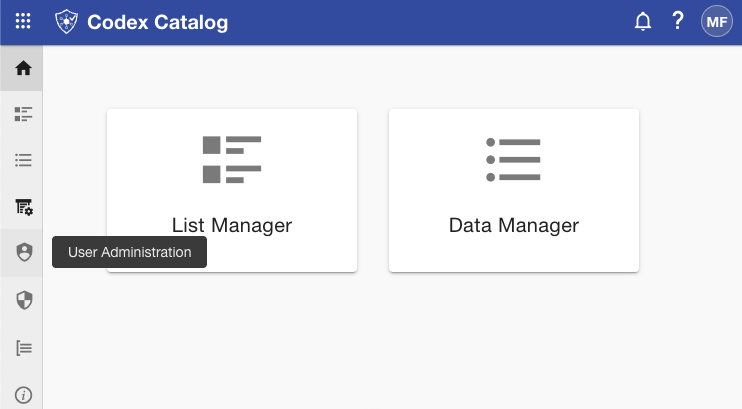
Then, click on "User Administration" (shield icon).
Once you are there:
- In Grid View, select the target user.
- Click Delete and confirm the action in the dialog.
What happens
- The user is removed from the app.
- This action is not reversible. Make sure you truly want to remove the user before confirming.
Note: If you have just acquired administrative rights and are still unable to delete users, try refreshing the page — your new permissions may not yet be applied.