Create a new user
In addition to the administrator role, Codex Catalog supports different roles to help manage users.
You can only add API users when 'Single Sign On' is enabled. The users are managed in Microsoft Entra.
To add a new user:
-
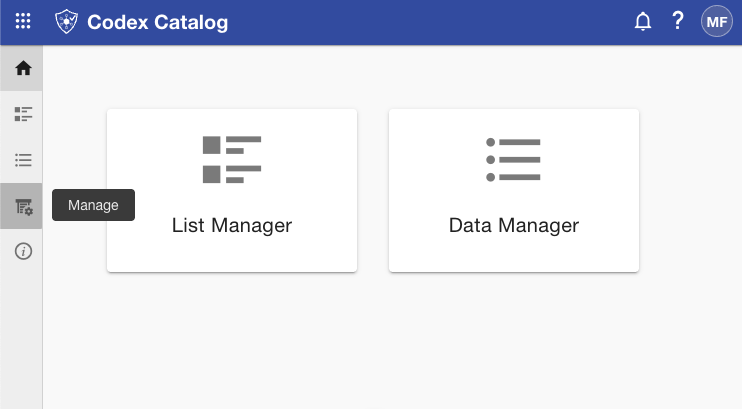
To access user management, go to the sidebar and select "Manage" (fourth icon).
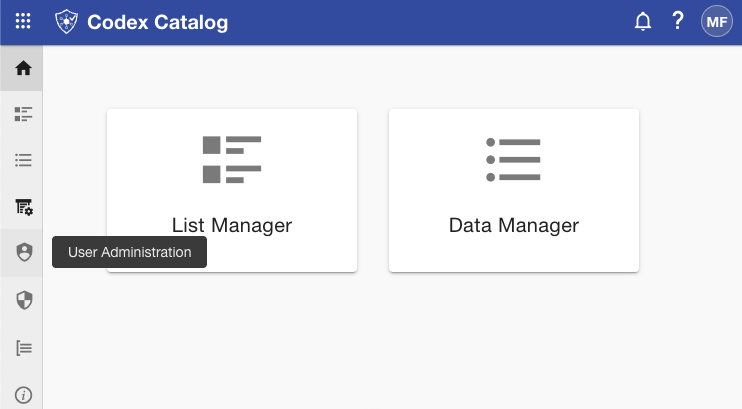
Then "User Administration" (shield icon).
-
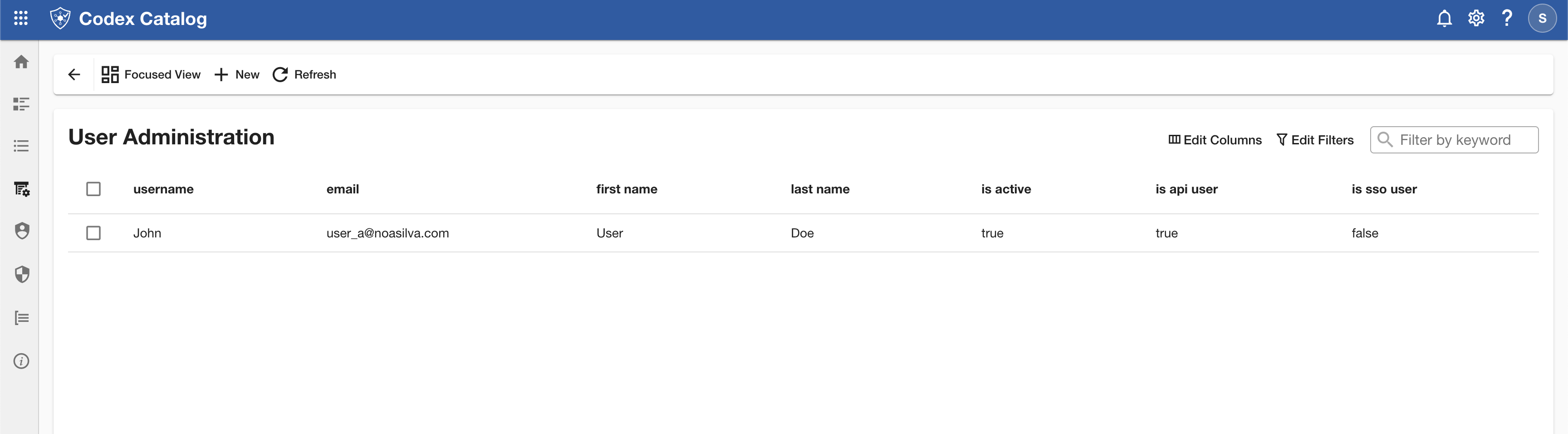
Once in the User Administration menu, select the New icon at the top bar.
-
Fill in the required fields:
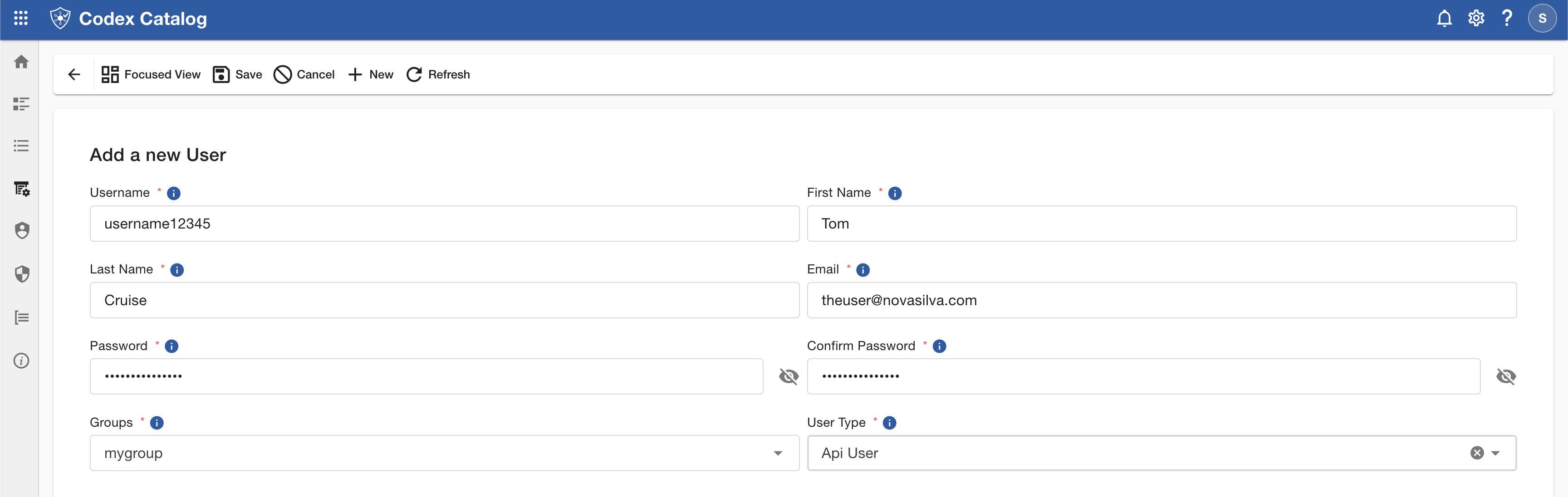
Field Description Username Key name used to log in. First Name The user’s real first name. Last Name The user’s real last name. Email Email address linked to the username. Password Must contain at least 8 characters, including letters, numbers, and one uppercase letter. Confirm Password Must match the password exactly. Groups Add the user to default groups (Administrator, Manager, User) or any owned groups. Multiple selection is available. User Type Choose between API User and Non-SSO User. Fields marked with a red asterisk (*) are mandatory.
To view more information about a field, hover over the information icon (i) next to it — a tooltip will appear displaying additional details.
-
Select Save to create the new user.
If you want to stop the creating process, click on "Cancel"on the top bar.